DWGDXFPDF
3D Verified Equipment Layout CADISO 7200 layout sheets with arrangement, elevation, and schedule.
Preview
 Open preview

PLC code generation · Beta
The authoring foundation for equipment asset management (AAS) and real equipment control: edit preset DS2 control rules in Quickstart, inspect diagnostics in DS Studio PLAY, explore multi-station 3D & AAS asset structures in the viewer, or study control fundamentals in DS Learn. Customer equipment files, PLC deployment, and acceptance checks are scoped separately.
PLAY opens in your browser without a separate installation.
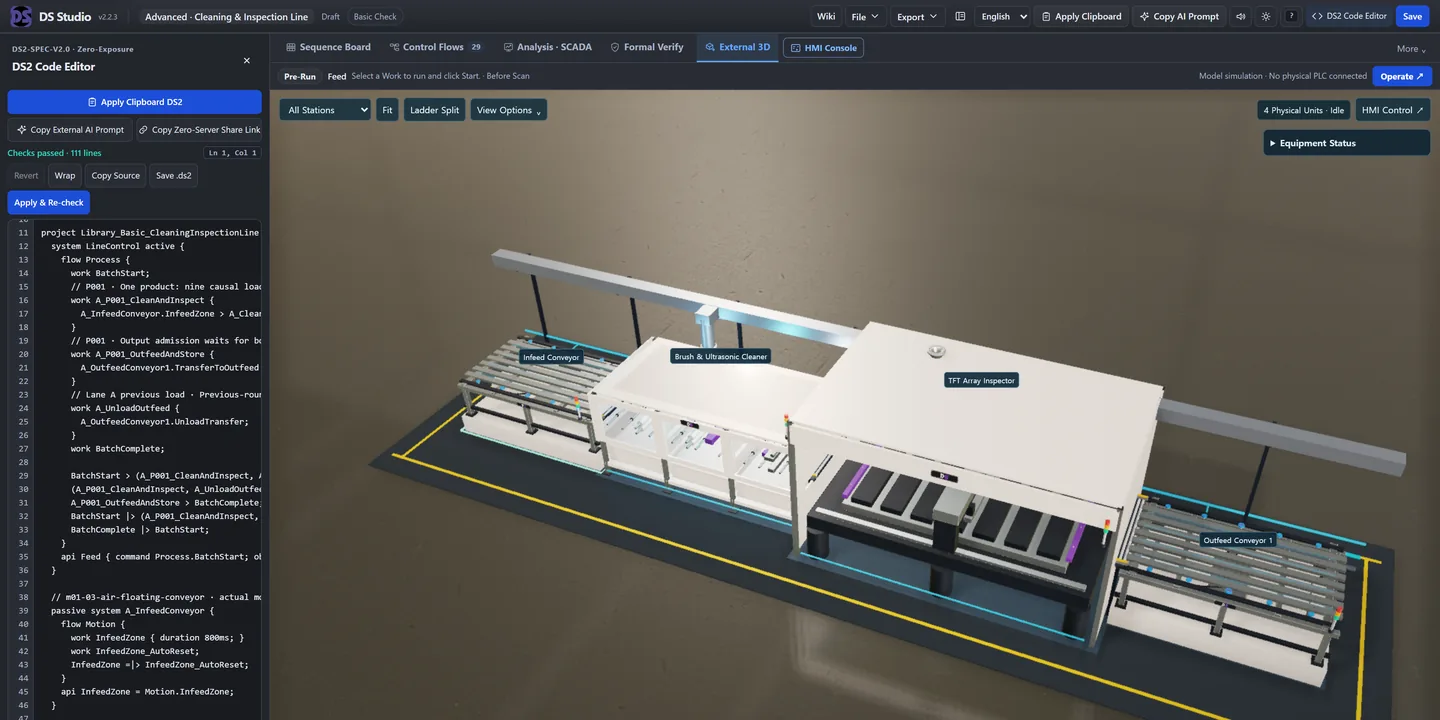
Quickstart (on this site): start with no files, toggle interlock and re-arm rules in preset DS2 source, and leave with an edited draft to copy or pass to PLAY. DS Studio PLAY (separate service on dualsoft.ai): open 10 published line examples or paste your draft to apply changes and inspect diagnostics, alongside 10 read-only Web MCP discovery tools. 3D Process & AAS Viewer: explore a public offline multi-station sample with no customer file to inspect station shells, submodels, and semanticIds. DS Learn: study completion and transition principles before project scoping. Customer file mapping, PLC verification, and DualSoft SequenceControlData vs official IDTA template deliverables are scoped separately.
DS offline build functions are free. Online functions are available by subscription, with support for ongoing operation.
DELIVERABLES · SINGLE SOURCE EXPORT
Export consistent CAD drawings, PLC code, 3D twin and HMI views, engineering documents, and IDTA AASX packages from one DS2 model. Thumbnails come directly from published examples (Cleaning Line and XG5000 Demo Kit) and start collapsed; expand any item or open the full high-resolution preview.
ISO 7200 layout sheets with arrangement, elevation, and schedule.
Power, safety relay, rack topology, and channel terminal wiring.
Multi-sheet sequence chart covering steps, transitions, and modes.
Ordered ladder circuit viewer with ST link and XG5000 export.
Structured Text and PLCopen XML from the same verified Control IR.
IEC 62541 UANodeSet2 XML defining station objects and variables.
Standalone HTML HMI summarizing modes, controls, and stations.
Interactive 3D equipment scene with offline HTML and OpenUSD.
ISO 7200 SCADA review sheet with OPC-TAG-1 hierarchy, CPM timeline, ARC-I3 audit, and 7-vendor HMI tags.
Operating sheet with durations, watchdogs, and start preconditions.
Bound I/O sizing, 24VDC load budget, parts list, and AutomationML.
ISO 7200 waveform charts tracing command, feedback, and interlocks.
Critical-path baseline and station load chart for bottlenecks.
Model FMEA review and printable FAT form (SIL NOT_ASSESSED).
Duration summaries, OLS drift trends, and screening diagnostics.
IDTA Part 5 package bundling Nameplate and SequenceControlData.
Digital Product Passport with metadata and executed processes.
Single .ds2 source with the complete engineering export bundle.
Scope: static exports from public models. Vendor PLC IDE import (vendorIdeImport), safety assessment (SIL NOT_ASSESSED), and physical plant acceptance (physicalAcceptance) remain NOT_RUN until verified per project.
Try live exports in DS Studio PLAYPick an industrial cell example, inspect how works and interlocks are written, toggle two control rules, and send the draft straight into DS Studio PLAY.
Choose an example Export AASX and Product Passports from DS Studio DS2 & GRAFCET ArchitectureJust as autonomous driving relies on a digital map and live sensors, autonomous manufacturing pairs a sealed SDF factory map for optimal route planning (Plan) with live sensor feedback and control (Action). Explore the full L0–L5 matrix and scope boundaries.
Interactive process-line examples published on dualsoft.ai that open without local installation.
The public MCP endpoint provides discovery tools with read-only access.
Scope and deliverables are agreed together before any customer data is handled.


