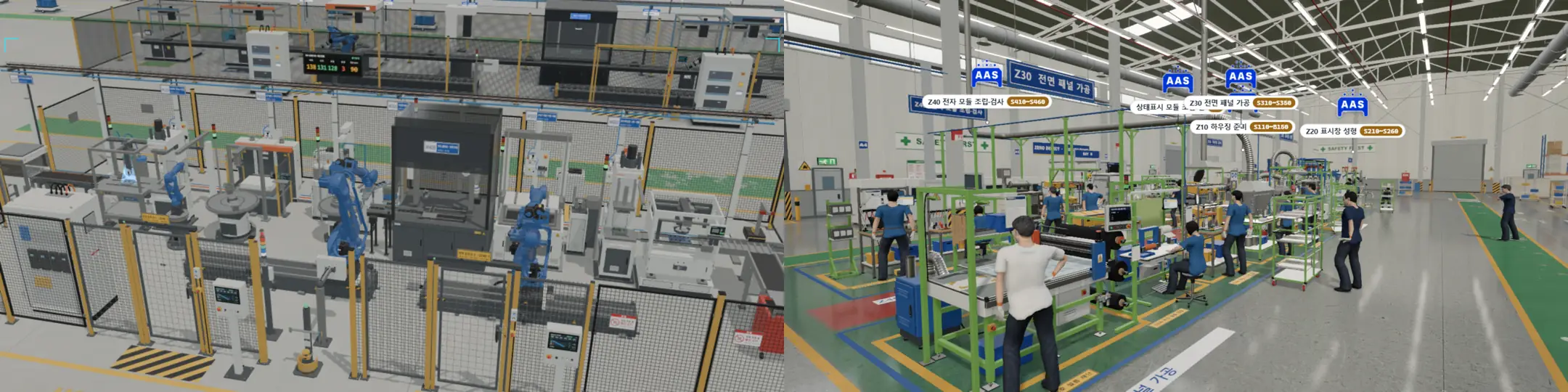
Real Control Execution
Scope the interfaces and acceptance checks connecting verified process sequences to PLC/PC equipment control and AAS repositories.
Explore DS Pilot
EQUIPMENT ASSET MANAGEMENT · REAL CONTROL
Model how a machine runs in DS Studio. Use an Asset Administration Shell (AAS) to organize its data, then identify which PLC signals to monitor with DS Pilot.
Asset & Control Architecture
Author models in DS Studio, manage equipment assets in AAS, and connect real control and diagnosis with DS Pilot.
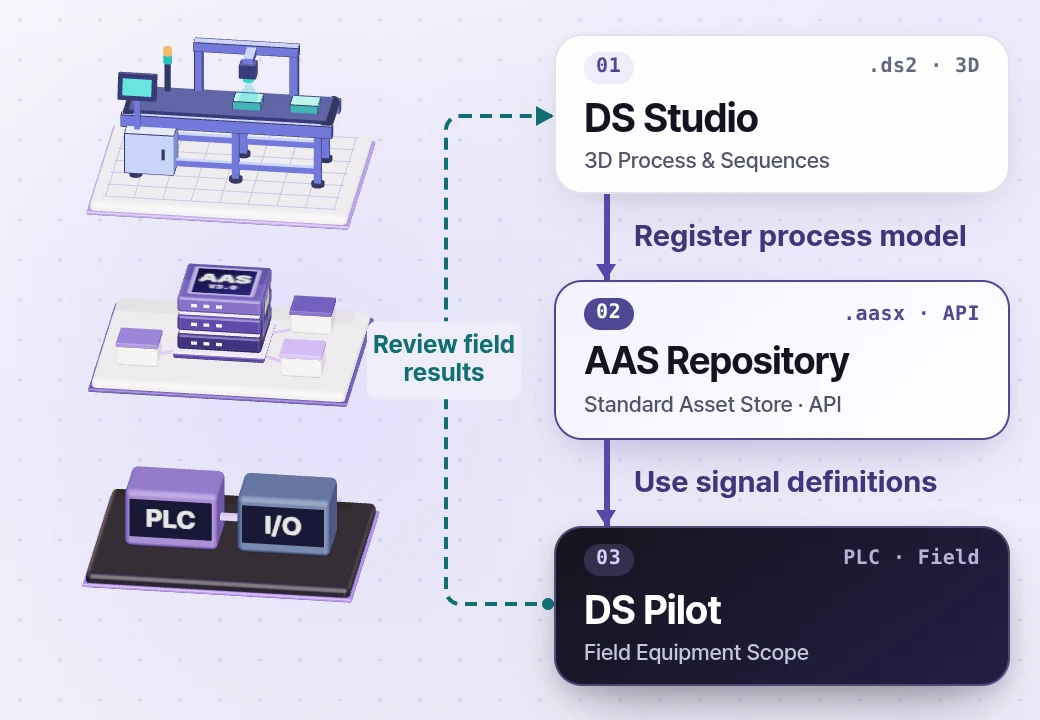
Author DS2 sequences and interlocks, then verify behavior in 3D.
ASSET STRUCTURING · MAPPINGOrganize nameplate data, control sequences and 3D models in AAS submodels.
REAL CONTROL · DIAGNOSTICSConnect verified models to PLC/PC control, visibility, diagnosis, and reverse modeling.
Scope the interfaces and acceptance checks connecting verified process sequences to PLC/PC equipment control and AAS repositories.
Explore DS PilotDefine operating states, waiting interlocks, and process context operators and engineers need when equipment pauses.
Explore DashboardAgree on timing signals and diagnostic evidence needed to trace cycle drift and recurring anomalies during maintenance.
Explore Equipment DoctorEach card explains the capability role in plant operations. Actual equipment integration and acceptance checks are scoped per project.
Deployment & Collaboration
Align equipment records, PLC control handover, and AAS repository verification by team.
Verification & Learning
Use the scoping checklist, v3.2/DPP migration notes, and public identifier reference directly in engineering reviews.
Select only the questions you need, copy them into an email draft, or print the full list for team alignment.
Open checklistTECHNICAL NOTEPractical checkpoints on batch identity, timestamps, and DPP composition backed by primary IDTA sources.
Read noteSPECIFICATIONDualSoft’s custom sequence data specification and public URI index for parser and integration implementers.
View specificationCOMPANY PROFILEExplore our manufacturing projects and work as an IDTA member to register an AAS submodel template.
Meet DualSoftShare source format, control target, and AAS setup. We align scope before file transfer.
help@dualsoft.com
Drafts stay in this tab until you send email.
